

Graphic design plays an important role in modern business, marketing, publishing, branding, and digital communication. From professional logos and brochures to product packaging and social media graphics, businesses need reliable tools that can turn creative ideas into polished visual content. CorelDRAW has been a popular name in the graphic design industry for years, offering a broad collection of tools for illustration, page layout, typography, photo editing, and visual communication.
CorelDRAW is especially well known for vector-based design. Vector graphics can be resized without losing their quality, making them useful for everything from small business cards to large banners and signage. The software also provides tools that can support professional designers, illustrators, marketers, educators, and people who are learning graphic design.
With a combination of illustration, layout, image editing, and typography capabilities, CorelDRAW can serve as an all-in-one creative environment. Its range of features makes it suitable for both individual projects and professional design workflows.
1. Understanding What CorelDRAW Offers
CorelDRAW is primarily recognized as a vector illustration and graphic design application. Designers can use it to create shapes, curves, illustrations, logos, diagrams, advertisements, and other visual materials. Unlike raster images, vector artwork consists of mathematically defined objects, allowing designs to be scaled to different sizes while maintaining sharpness.
The software is useful for creating professional branding materials because individual design elements can be precisely positioned, modified, colored, and resized. This flexibility is valuable when developing logos or corporate graphics that need to appear consistently across websites, printed materials, packaging, and promotional products.
CorelDRAW also includes page layout capabilities, allowing users to combine text, graphics, images, and other elements into organized documents. This makes it useful for brochures, flyers, posters, newsletters, certificates, invitations, and marketing materials.
Another advantage is that CorelDRAW is part of a broader creative ecosystem. Depending on the edition and subscription, users can access complementary tools for photo editing, typography, vector illustration, and collaboration. This provides designers with multiple options for handling different stages of a project.

2. Create Professional Vector Designs With Ease
Vector design is one of the strongest areas of CorelDRAW. Designers can create everything from simple geometric shapes to complex illustrations using curves, lines, nodes, fills, outlines, and other tools.
The ability to edit individual nodes provides precise control over curves and shapes. This is particularly useful for logo design and custom illustrations where small changes can have a major effect on the final appearance.
CorelDRAW also provides various shaping and alignment features that can speed up repetitive design tasks. Objects can be duplicated, aligned, distributed, combined, intersected, trimmed, and modified to create more sophisticated artwork.
For businesses, this flexibility can be especially useful when developing a complete visual identity. A designer might create a logo, business card, letterhead, promotional banner, packaging artwork, and social media graphics while maintaining consistent branding throughout.
The software’s support for professional output also makes it suitable for print-oriented work. Designers can prepare artwork for different physical sizes and applications while maintaining control over dimensions and layout.
3. Explore Typography, Layout, and Creative Tools
Good graphic design is not only about illustrations. Typography and page composition are equally important, and CorelDRAW provides tools that help designers work with text and layouts.
Users can experiment with fonts, spacing, alignment, text effects, and positioning to create visually appealing headlines and body copy. Artistic text can be incorporated into logos, posters, advertisements, packaging, and other creative projects.
The software also allows designers to combine text with vector objects and images. This makes it possible to develop complete layouts without constantly moving between different applications.
For example, a designer creating a promotional flyer can import photographs, create custom shapes, add a company logo, arrange product information, and format headlines within the same project.
CorelDRAW can also be helpful for creating designs that need to be adapted into multiple versions. A campaign may require different dimensions for posters, brochures, social media posts, and digital advertisements. Vector artwork can make these adaptations easier because design elements can be resized and rearranged without starting completely from scratch.
4. Useful for Businesses, Designers, and Creative Professionals
One reason CorelDRAW remains relevant is its versatility across industries. Graphic designers can use it for professional illustration and branding, while businesses can use it to create marketing materials internally.
Sign-making and printing businesses can benefit from vector artwork because large-format designs need to remain sharp when reproduced at substantial sizes. CorelDRAW can also be useful in areas such as packaging, apparel graphics, promotional merchandise, publishing, and advertising.
Small businesses can use the software to produce professional-looking marketing materials without outsourcing every visual project. A company could create business cards, brochures, product labels, promotional posters, presentations, and other branded assets.
Educational institutions and design students can also use CorelDRAW to learn fundamental graphic design concepts. Working with vector objects, typography, colors, composition, and page layouts can provide valuable experience that transfers to other creative software.
Freelancers may find the software particularly useful because a single application can support different types of client projects. A freelancer could work on a logo for one customer, a brochure for another, and packaging artwork for a third without needing a completely different design workflow for each assignment.
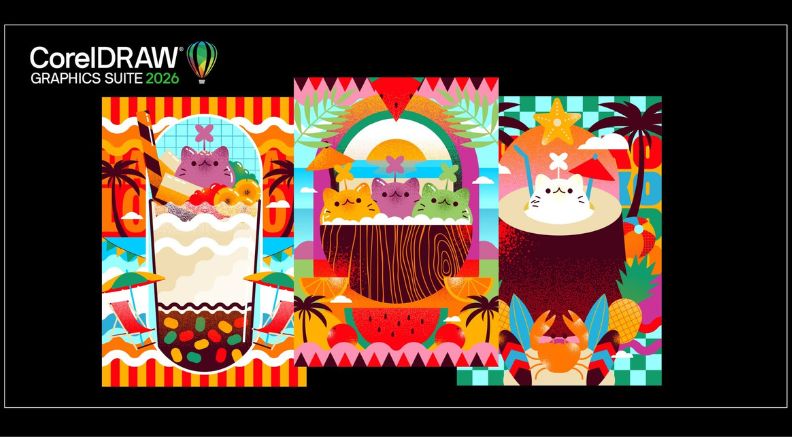
5. Current CorelDRAW Offers and Ways to Save
CorelDRAW regularly provides promotional opportunities that can make its creative software more accessible to new and existing users. Depending on the current campaign, customers may find discounts on subscriptions, special pricing on selected editions, upgrade promotions, or other limited-time offers.
Subscription options can be attractive for users who want access to current software features and updates without making a large one-time purchase. For professionals who depend on design software regularly, having access to the latest tools can be valuable.
Customers should also look for special promotions around seasonal sales and other major shopping periods. Promotional pricing can sometimes provide an opportunity to access professional design tools at a lower cost than standard pricing.
Businesses purchasing software for multiple users may also want to investigate available business or volume-related options. The best choice depends on the number of designers, required features, preferred licensing model, and length of intended use.
Students and educators should check whether special academic pricing or eligibility-based offers are available. Such programs can make professional creative software more affordable for learning and teaching environments.
Because offers and pricing can change, customers should review the current deal, eligibility requirements, renewal conditions, and included applications before completing a purchase. A discount is most useful when the selected plan actually matches the user’s long-term design requirements.
6. Why CorelDRAW Can Be a Valuable Creative Investment
Choosing graphic design software is an important decision, particularly for people who use it professionally. CorelDRAW’s combination of vector illustration, page layout, typography, image-related tools, and professional output capabilities makes it a versatile option for a wide variety of creative projects.
Its vector-focused workflow is particularly valuable for designs that need to work at different sizes. A logo may begin as a small digital asset but eventually appear on a storefront, vehicle, package, or billboard. Creating it as vector artwork makes these adaptations much easier.
The software can also help organize creative workflows by bringing multiple design tasks into one environment. Instead of using one application for illustration and another for page layout, designers can complete many common projects within CorelDRAW and its related tools.
For beginners, there may be a learning curve because professional design software includes many functions and settings. However, learning the fundamentals of shapes, curves, layers, typography, color, alignment, and composition can build a strong foundation for future design work.
For experienced professionals, advanced tools can provide the precision needed for detailed client projects. This combination of accessibility and professional capability makes CorelDRAW suitable for users of all experience levels.
Overall, CorelDRAW remains a comprehensive solution for people who want to create professional visual content. Its strong vector illustration capabilities, layout features, typography tools, and broad creative applications make it useful across branding, advertising, publishing, printing, packaging, and digital design.
With ongoing offers and different purchasing options, users can also look for opportunities to reduce the cost of accessing the software. Whether you are a freelancer building a design business, a company developing its brand identity, a student learning graphic design, or an experienced professional handling client projects, CorelDRAW provides a versatile creative environment.
As businesses continue to rely on high-quality visual communication, capable design software can make developing professional graphics more efficient. CorelDRAW combines creative flexibility with practical design functionality, giving users the tools to turn ideas into polished artwork for both digital and print applications.